> For the complete documentation index, see [llms.txt](https://docs.bulkemailsetup.com/llms.txt). Markdown versions of documentation pages are available by appending `.md` to page URLs; this page is available as [Markdown](https://docs.bulkemailsetup.com/cloudapp/popular-topics/domains/tracking-domains.md).
# Tracking Domains
Set up custom tracking domains to boost email deliverability, enhance branding, and track recipient engagement effectively.
### Tracking Domain
A tracking domain is a critical feature in email marketing that allows you to monitor recipient activity such as opens, clicks, and other engagement metrics.
It enables branding and ensures better deliverability by masking third-party tracking URLs with your custom domain. The Email application provides a simple and intuitive interface to set up a tracking domain effortlessly.
***
**Steps to Create a Tracking Domain**
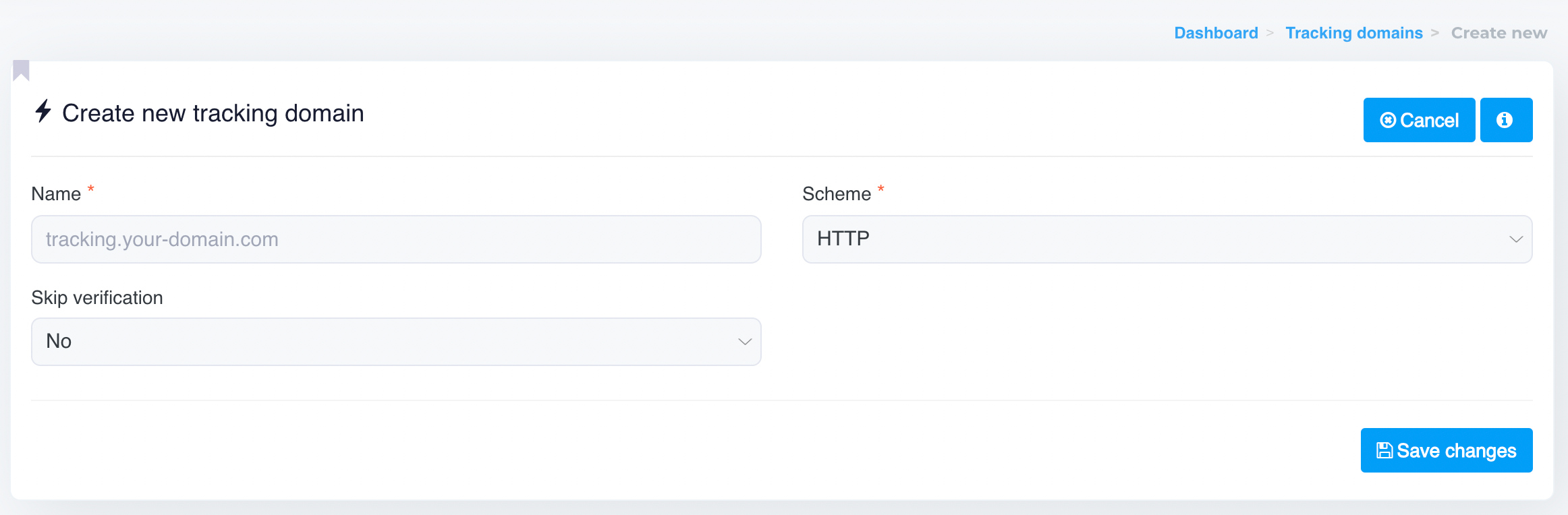
1. **Navigate to the Tracking Domain Section**:
* Go to the **Domains** and click on **Tracking Domains** button.
* Click on the **Create New** button to begin the setup.
2. **Fill in the Tracking Domain Details**:
* **Customer**: Select the customer for whom this tracking domain is being configured.
* **Name**: Enter your tracking domain (e.g., `tracking.your-domain.com`). Ensure this subdomain is configured in your DNS records before proceeding.
* **Skip Verification**: Choose whether to skip domain verification. This is usually set to **No** unless you’re sure the domain is pre-configured correctly.
* **Scheme**: Select the protocol to use. You can choose between `HTTP` or `HTTPS`. Using `HTTPS` is recommended for secure tracking.
3. **Save the Changes**:
* Click on the **Save Changes** button to finalize the setup.
***
**DNS Configuration for Tracking Domain**
Before saving the changes, ensure that your tracking domain (`tracking.your-domain.com`) is properly configured in your DNS. Typically, you need to add a **CNAME record** pointing your tracking domain to the designated server provided by our Email App.
Example DNS Configuration:
* **Type**: CNAME
* **Name**: tracking
* **Value**: `app.our-email-url.com` (or the appropriate value provided by the application URL)
* **TTL**: 3600 (or default)
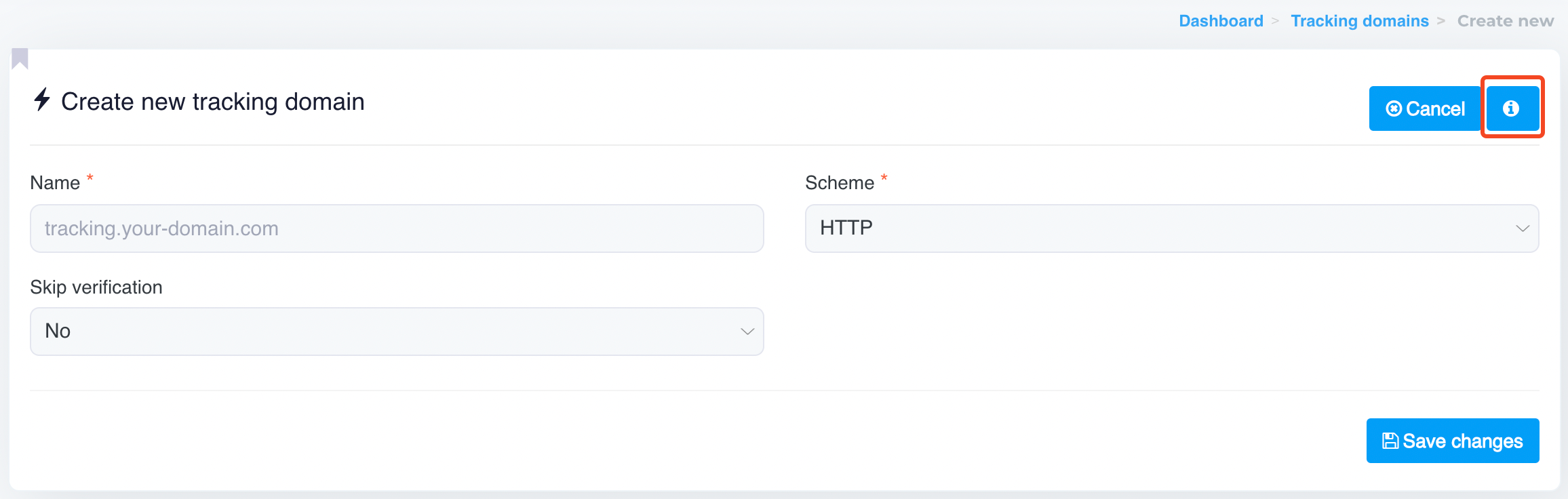
{% hint style="info" %}
To find the correct **Value** (the App URL), click on the highlighted button below.
{% endhint %}
***
**Benefits of Using a Tracking Domain**
* **Improved Deliverability**: Custom tracking domains align with your branding, reducing spam flags and increasing email deliverability.
* **Enhanced Branding**: Recipients see your domain, which builds trust.
* **Detailed Analytics**: Accurately tracks recipient interactions like opens and clicks.
* **Compliance**: Helps ensure compliance with spam regulations by avoiding shared domains.
***
**Important Notes:**
* Ensure your domain has SSL configured if you plan to use the `HTTPS` scheme.
* If you're unsure about DNS settings, consult your domain registrar or hosting provider.
The **Tracking Domain** feature simplifies email engagement tracking while enhancing branding and deliverability, making it an essential tool for your email campaigns. Configure your tracking domain today to maximize the effectiveness of your email marketing!